Button State Reference
This page describes built-in Touch Portal Button State actions, events and states. For other automation options, see the Touch Portal Capability Model.
Button State Actions
Set Button State
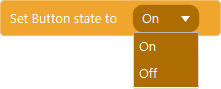
Action settings
state
The state to set the button to
This action allows you to set the button state to either On or Off
Note: The button state is a predefined state for a button which can only be On and Off. If you need more or different states, use Values.
Action

1.8
Available since


Set Other Button State

Action settings
State
the state to set the button to, can be On or Off
Id
The id of the button to set the state of
This action allows you to set the state of a button with the given id to On or Off.
Action
2.0
Available since
Toggle Button State

This action allows you to toggle the button state to either on or off. This action will switch from the current state.
Note: The button state on and off is a built in state for a button. If you need more options, use Values.
Action
2.0
Available since
Button State Events
When Button State Changes
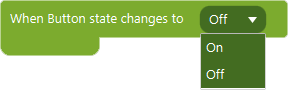
Event settings
OnOff
the state of the button the event should trigger on.
This event allows you to act on the event that is triggered when the state of the button changes.
Event
1.8
Available since