XSplit Reference
This page describes built-in Touch Portal XSplit actions, events and states. For other automation options, see the Touch Portal Capability Model.
XSplit Actions
Set Scene

Action settings
Scene
the scene to set
This action allows you to set the current scene
Action

1.6
Available since


Toggle Source Visibility

Action settings
Scene
the scene which contains the source
Source
the source to change the visibility of
This action allows you to toggle the visibility of a source
Action
1.6
Available since
Set Recording
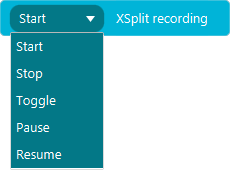
Action settings
Action
action for the recording state
This action allows you to change the recording state
Action
1.6
Available since
Set Streaming
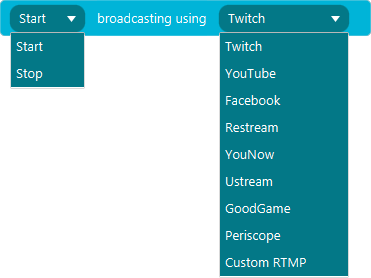
Action settings
Action
action for the recording state
Service
The streaming service to use
This action allows you to change the streaming state
Action
1.6
Available since
Push To Live

This action allows you to push the preview to live
Action
2.3
Available since
Toggle Mute Volume Mic

This action allows you to toggle the mute state of the main mic volume
Action
1.6
Available since
Toggle Mute Volume Speaker

This action allows you to toggle the mute state of the main volume
Action
1.6
Available since
Set Volume Default Speaker

Action settings
Volume
the volume of the main speaker
This action allows you to change the volume of the main speaker
Action
3.0
Available since
Set Volume Default Mic

Action settings
Volume
the volume of the main mic
This action allows you to change the volume of the main mic
Action
3.0
Available since
Set Silence Detection
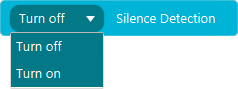
Action settings
Action
Turn on or off the silence detection
This action allows you to turn on and off the silence detection
Action
3.0
Available since
Set Noise Suppression
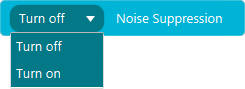
Action settings
Action
Turn on or off the noise suppression
This action allows you to turn on and off the noise suppression
Action
3.0
Available since
XSplit Events
When Recording State Changes

Event settings
Comparator
compare the new state with the give state
State
the state to compare with
This event allows you to listen to changes in the recording state
Event
1.6
Available since
When Scene Changes
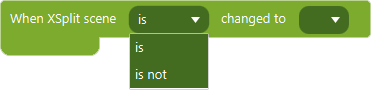
Event settings
Comparator
compare the new state with the give state
Scene
the scene to compare the new active scene with
This event allows you to listen to scene changes
Event
1.6
Available since