We’ve packed in some cool new features, improvements and bugfixes to make
things even better for you. Check out what’s new below—we think you’re
going to love it!
Native JSON reading/writing
This version we have added a bunch of actions that allow you to manipulate JSON
stored in a value. Easy access to attributes and lists.
Action

Get Value from JSON
This action allows you to retrieve data from a JSON structure stored as text in a Value.
Action
Put Value in JSON
This action allows you to put data in a JSON structure stored as text in a Value.
Action
Get JSON Array Size
This action allows you to get the size of an JSON array
Action
Remove attribute in JSON
This action allows you to remove attributes from a JSON object
Utility
We expanded our collection of utility actions.
Action

Get Image from Screen Region
This action allows you to get an image of a part of the screen and save it in a file.
We have also added an additional option for the Get Mouse Location action
to allow for different coordinate systems available and use by different systems. This
is especially helpful when using multiple monitors in your desktop setup.
Date & Time
We have added a few actions to handle time based values to easily go from
seconds to a nicely formatted text based on timezones and locales.
Action

Convert Date/Time
This action allows you to convert from one format of date time to another using locales and timezones.
Action
Convert Seconds
This action allows you to convert seconds to a different format for easy displaying
Mobile Sides Functionality
We introduce new actions and states that can be done on the mobile side. This
allows for more funcitonality and show more information in full screen mode
when necessary.
Action
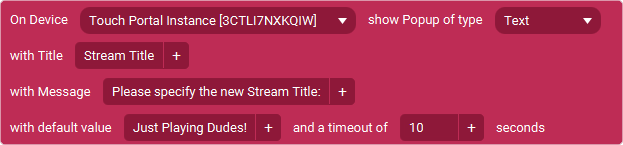
Mobile Popup - Choice / Selection
This action allows you to trigger a popup window on the mobile side where the user choose from a predefined selection of items. The results will be made available in the local states after closing the popup.
Action
Mobile Popup - User Input
This action allows you to trigger a popup window on the mobile side where the user can enter custom data that will be made available when the popup closes in the local states.
Action
Mobile Popup - Yes / No
This action allows you to trigger a popup window on the mobile side where the user can choose between yes and no.
Action
Open App on Mobile
This action allows you to open an app on your mobile device using its package name. This is an Android only action.
Action
Open URL on Mobile
This action allows you to open an url on your mobile device using its default browser.
Action
Play Audio File on Mobile
This action allows you to play an audio file on your mobile device.
Action
Set Brightness on Mobile
This action allows you to change the brightness on your mobile device. The brightness of the device is changed and is permanent. You need to change it again with this action or in the phone settings to change it to something different. Automatic brightness settings on the device may affect the outcome of this action.
Action
Set Clipboard Text on Mobile
This action allows you to set the clipboard text on your mobile device.
Action
Trigger Show Actionbar / Menubar on Mobile
This action allows you to show the actionbar / menubar when in fullscreen mode. The same rules apply when you double press with two fingers to normally make these appear.
Action
Enable / Disable Flashlight on Mobile
This action allows you to show the turn on or off the flashlight on your device.
Action
Start / Stop the Touch Portal screensaver on Mobile
This action allows you to show the turn on or off the flashlight on your device.
Quality of Life
We have added some quality of life improvements as well in this new version.
Easy Local Value adding
In any tag supported text field you can now use hotkeys to add the Local Values
To add Local Value 01:
Ctrl + 1
To add Local Value 05:
Ctrl + 5
Easy Parameters adding
In any tag supported text field you can now use hotkeys to add the Parameter local values.
To add Parameter 01:
Ctrl + Shift + 1
To add Parameter 05:
Ctrl + Shift + 5
Tag Supported Textfields
We have improved the tag supported textfields for when adding dynamic text
variables to keep remembering the caret position and also reset it afterwards
for a contineous editing flow.
Improved Left Page Menu/Options Panel
You can now switch between the Premade Buttons list and the Page Settings
list for the current selected Page. You are also able to just collapse
both to have a bigger space for you Page.
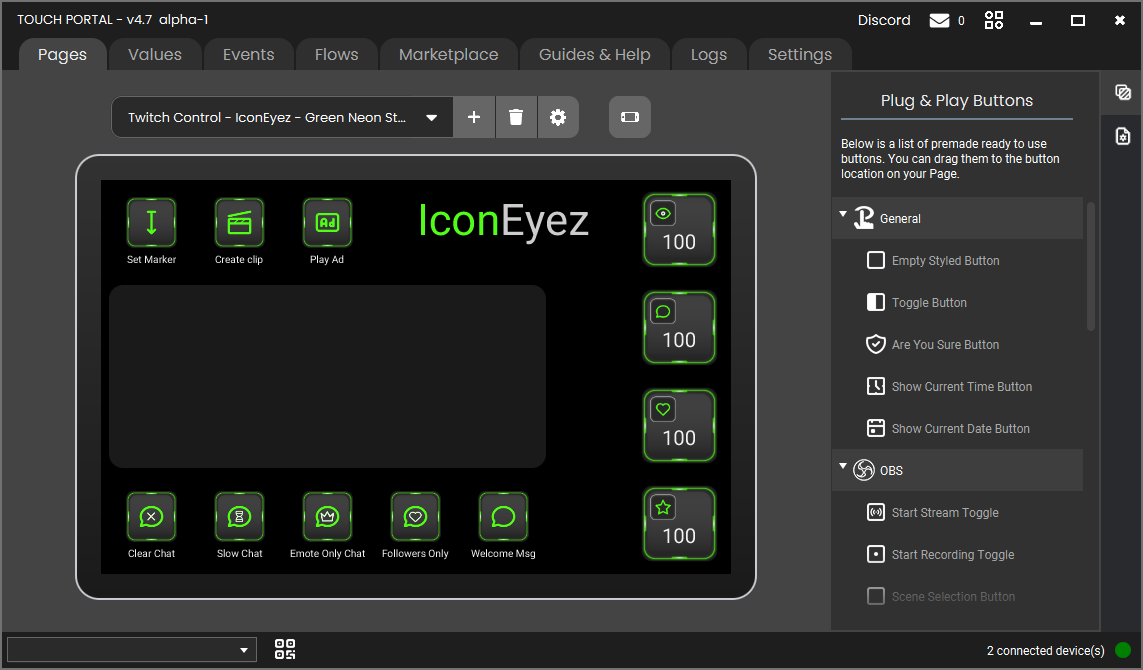 The screen as it has been previous with the bar added on the right side of the screen.
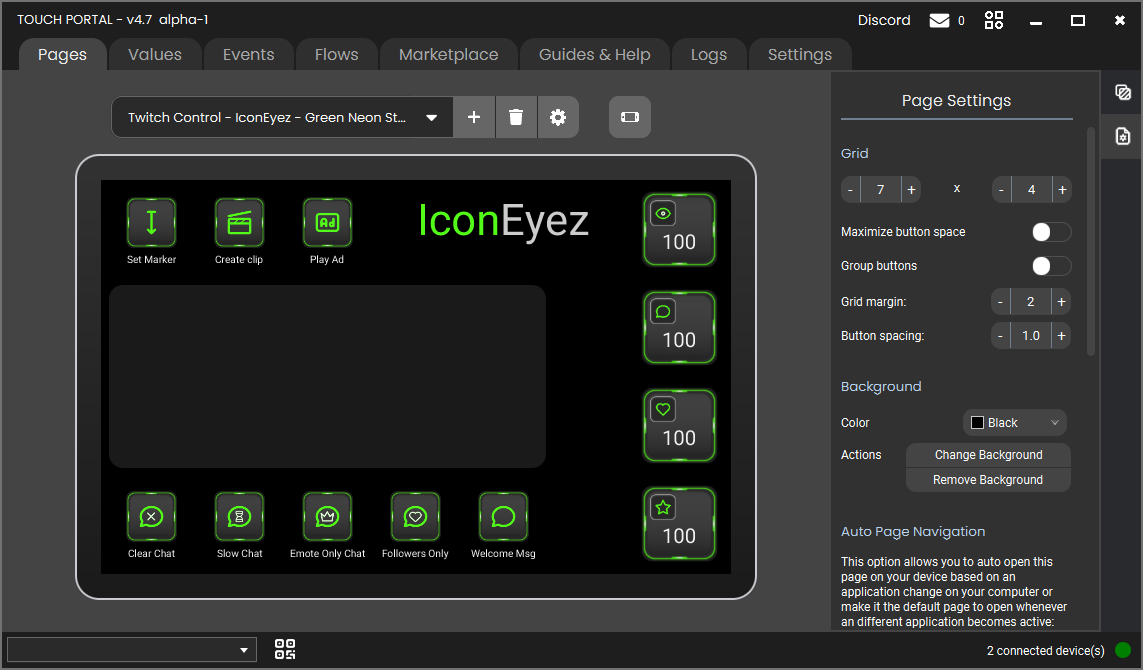 The panel showing the page settings.
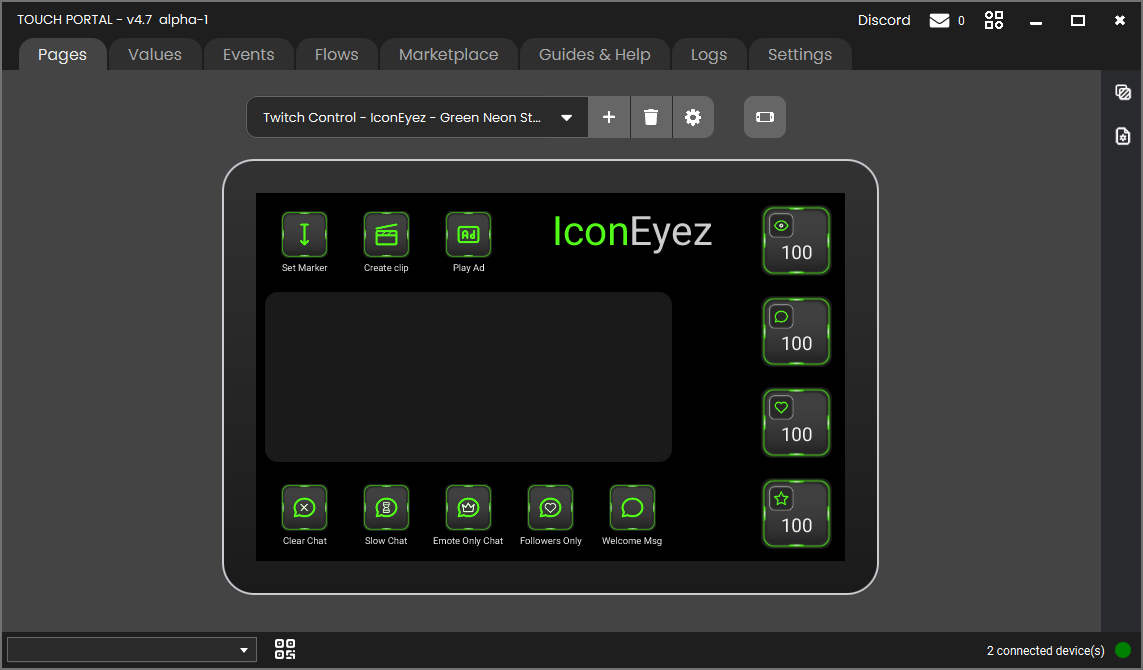 With none of the panels showing the area for the page is expanded.
Other additions and improvements
- We have added red overlay for the page when the page is greater than
4x2 for free base application users. This overlay is another visual cue
to ensure the free users understand why imported pages do not fully show
on their mobile device.
Bugfixes
We have also fixed a few bugs this version:
General
- Fixed Application restore functionaly when opening TouchPortal.exe when
Touch Portal is already running not working in specific situations
- Fixed an issue with auto backups pruning not picking the optimal to prune.
- Fixed issue where tag supported textfield had incorrect caret location for pasting.
- Fixed Windows detection code for latest Windows updates
- Fixed some actions not being taken into account for value reference search.
Twitch
- Fixed Twitch Power Up event not converting states/values.